

I’m guessing I must have typed the same or similar command into ChatGPT a few hundred times to get a response I actually liked before I found out about a feature that lets me auto-set those commands for every chat, forever.
That feature is the custom instructions ChatGPT setting (ChatGPT Custom Instructions), and if you use ChatGPT for content creation on a daily basis, I genuinely think a five-minute investment to read this will result in an incredible return.
In this article, I’m going to explain what custom instructions are, how you can get them set up in a matter of minutes, present some examples that you are welcome to copy, and show you what kind of mistakes cause people to give up on custom instructions too early.
You won’t have to buy a subscription to ChatGPT for any of this to work, as the free plan of ChatGPT supports custom instructions. If you have to read one thing today, let this be it.
What Are ChatGPT Custom Instructions?
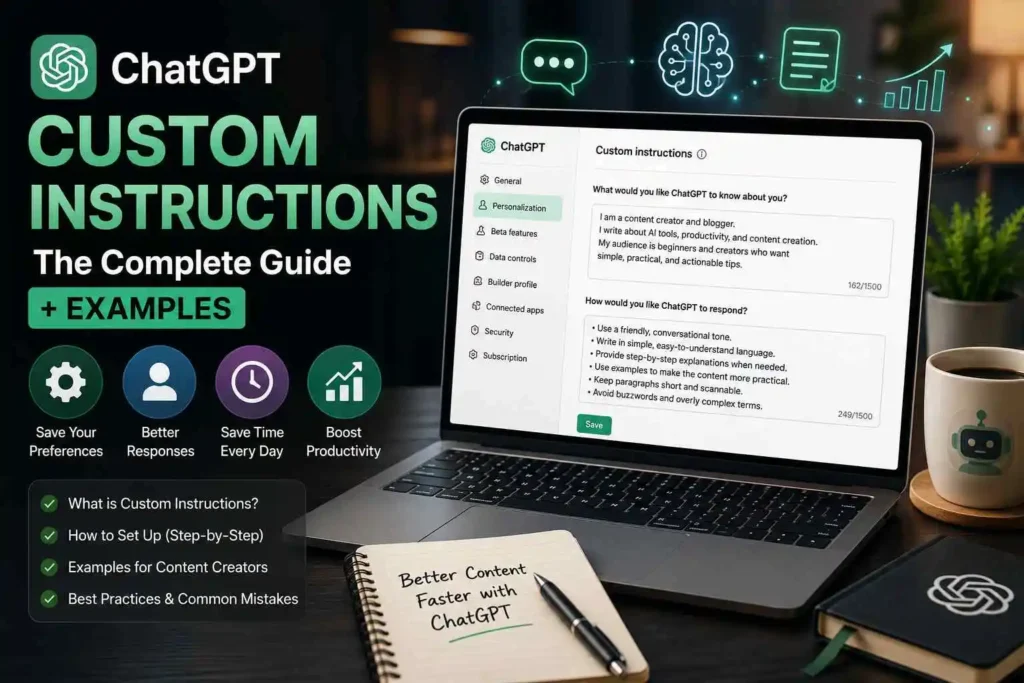
ChatGPT custom instructions allow you to provide preferences for how you would like ChatGPT to respond, and some contextual information for each future conversation you have with it.
The ChatGPT custom instructions you fill out have two parts:
– Would you like to share any information for ChatGPT to know about you? Your role, your niche, your audience, ongoing projects
– Preferences for ChatGPT response. Tone, length, detail, format, etc.
With ChatGPT custom instructions, you only need to provide the above information the first time you use the ChatGPT.
The best way to think about the difference between custom instructions and memory, is that with memory features, ChatGPT automatically recalls information from previous conversations. With custom instructions, you need to provide the detail yourself, but once you do, they are memorized until you change them. This is a helpful feature for people who publish frequently and need to use ChatGPT in the same way every time.

Why ChatGPT Custom Instructions Matter for Content Creators
If you often use ChatGPT to write captions or blogs, most of your instructions will be focused on a few instructions. For instance, your preferences seem to be related to your tone and your niche. There are also things you want ChatGPT to avoid.

The ChatGPT instructions will be more versatile.
ChatGPT will provide you with better content that is more in line with your voice.
You will find you are less verbose.
Starting a new Chat will be easy and efficient.
Even if you only save a few seconds, imagine all of the prompts you do in a day! This setup only takes 3 minutes!
check out the best AI tools guide as a content creator for more AI tool tips.
How to Set Up ChatGPT Custom Instructions
Setting up ChatGPT custom instructions takes about three minutes:
• Step 1 — Click your profile name, then Settings
• Step 2 — Go to Personalization, then Custom Instructions
• Step 3 — Fill in the ‘What would you like ChatGPT to know about you’ box
• Step 4 — Fill in the ‘How would you like ChatGPT to respond’ box
• Step 5 — Save. It applies immediately to every new chat

💡 PRO TIP: Custom instructions don’t apply retroactively to chats already in progress. Start a new chat to see them take effect.
Custom Instructions vs Custom GPTs: Which Do You Need?
Some features have similar functions but serve different purposes. It’s easy to get them mixed up. Here’s what you need to know to not confuse them:
| Custom Instructions | Custom GPTs |
| global, covers every chat | independent mini assistants, each with their own custom instructions and files |
| most appropriate for your general tone and context | appropriate for one specific repeated task |
Here’s a general rule of thumb to help you out: if you want ChatGPT to know something about you that you want to remain constant in every conversation, put it in custom instructions. If it’s a specific repeated task – e.g. writing the same structured weekly newsletter, a custom mini-assistant will do the job much better than a global setting.
Most users are better off with only custom instructions. Start using custom GPTs if you find yourself using the same specialized prompt multiple times a week.
ChatGPT Custom Instructions Examples for Content Creators
“Write naturally” or other generic advice doesn’t help much at all. Specific advice is what really helps. You should adapt what you think is useful in these examples to your own niche. Here are some examples.
Example 1: For Bloggers
What ChatGPT should know: I run a blog about [your niche]. Jargon can be very unwelcoming, so my target audience is absolute beginners. I write in first person and always include anecdotes because I detest how common generic advice is.

How ChatGPT should respond: When graphed, the original and new data create a trend line. With both sets of data, we can also identify any outliers. Outliers are data values that differ drastically from other values. With our data, we were able to draw out a new set of trend lines. In comparing the data, we saw that data sets with a year gap had outliers. In our project, we created a chart that showed outliers. The data sets we used each had its own trend line. The added data helped our project by giving the lines more structure.
Example 2: For Social Media Creators
What ChatGPT should know:I generate posts for Instagram and TikTok in the [your niche] space. Aim to have your captions under 150 characters. Start with your strongest hook.
How ChatGPT should respond: Punchy, conversational tone. Include 3 alternative captions, rather than 1. Make sure to use the appropriate emoji sparingly, no more than 2 per caption.

Example 3: For Freelance Writers

What ChatGPT should know: I produce writing for a variety of industries. I need it to be drafts that I can get my hands on and speed quickly to taste up in my clients’ brand voice, rather than finished copy, each of the clients has their own brand voice.
How ChatGPT should respond: To give structure and key points first, then full prose. Mark claims that it needs to be revived. Be neutral and flexible in tone – can switch on a dime.
Pair custom instructions with the right tools, see our full guide to the best AI tools for content creation.
Best Practices for Writing Your Own Custom Instructions
Be specific as regards audience, rather than a topic. There are entirely different explanations needed for ‘beginners’ and ‘experts’.
Keep this in mind: be clear about what you don’t want – and don’t want! ‘No buzzwords’ is more effective than ‘sound more professional’.
Be concise (under 1,500 characters). Long explanations are watered down and short aren’t followed.
Recap it periodically over the course of a couple of weeks while your niche/content and voice change over time!

Imagine it as you wouldn’t present a new freelancer, but sort of a short brief. It’s not really a settings form; it’s like a short brief you’d give a new freelancer on day one. The more specific the detail, the less analysis, or ‘guess work’, ChatGPT needs to do.
💡 PRO TIP: Test your instructions with a throwaway question first, something unrelated to your usual topics, so you can see clearly whether the tone and format are actually being applied.
Common Mistakes With ChatGPT Custom Instructions
There are some patterns that crop up more often than not that creators who are trying these out for the first time:
Writing instruction that is vague and therefore unhelpful and unclear (‘be helpful and clear’)
Memorizing all the possible preferences rather than 3-4 that are most important
Not remembering specific instructions and then using the same context in prompts when this is not the case
Contacting them about pricing issues but never getting a response.Not contacting them after niche or content style change, but being called.
The solution to all four is the same: Don’t set custom instructions up and then forget about them. While taking a quick look each month will be sufficient to ensure the logic matches the actual work you’re doing, this represents a major difference between ChatGPT custom instructions and one you just entered and forgot about.

Frequently Asked Questions
What are the best custom instructions for ChatGPT?
Custom instructions for ChatGPT are specific to the actual task, and not general. Identify who you're talking to, the tone, formatting, and things that you'd like it to stay away from. Some grammar, such as ‘no corporate buzz words, short paragraphs, first person voice’ is effective every time, whereas ‘be professional and clear’ is vague and less effective.
Do custom instructions work in every ChatGPT conversation?
Yes, once they are saved, they will automatically be applied to each new chat that's started. They won't work on existing chats, so to experience them click on the "Start chatting" button and begin a conversation.
Can I have different custom instructions for different projects?
Not automatically; ChatGPT uses a set of custom instructions that applies to all users. If your niches are very different or if you have many different types of clients, make the points general and specific project real-time information can be added in the prompt on a project basis when required.
How do I customize ChatGPT beyond custom instructions?
Custom Instructions: SPEAKING Tone & Context. If your requirements are more sophisticated, Custom GPTs allow you to create an individual GPT with unique instructions, files and behaviour for a standard, recurrent task you want to perform by a different interface or environment—think of a dedicated service assistant for a specific task when a single global setting isn't enough.
Can I use ChatGPT Custom Instructions on the free plan?
Yes. ChatGPT Custom Instructions are available on the free plan, allowing you to save your preferred writing style, tone, and other preferences for every new conversation.
Final Thoughts
With the help of ChatGPT custom instructions it takes just 5 minutes to launch a conversation after every conversation without inserting a repetitive step. While it will not correct a bad prompt, it will prevent you entering the same context multiple times.
If you haven’t yet got it you need to give it the three minutes now to open Settings. You will be glad you did when you reach mid-deadline and you have future-you to thank for it. Right now, but before leaving this tab, you should make sure you get your Custom Instructions set up with ChatGPT.
What do you want to do if?What will your U.T.I say? Put them in the comments here, I’m just always inquisitive on how others define their own!

Also Discover Best Content Creation Tools in 2026: The Ultimate Toolkit for Creators or go back to home page


Pingback: AI Writing Assistant Updates 2026: The Best Changes You Need to Know - creatafy
very helpful content for the optimization of chatgpt reaponses
Pingback: Productivity App Updates 2026: The Biggest Changes That Matter - creatafy
Pingback: Top Best Blogging Tools for Beginners: The only 6 You Need - creatafy